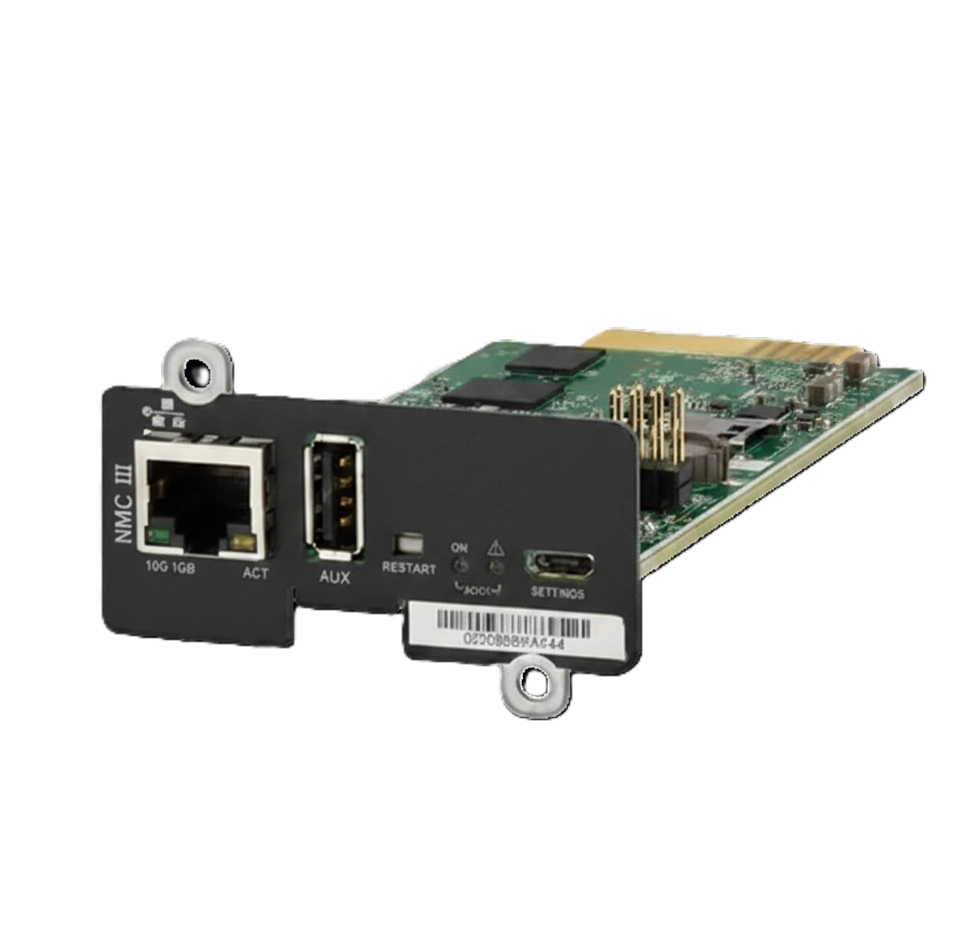
SNMP Web Interface II
Integrated with WINPower software, SNMP/WEB Interface II works as an enhanced communication solution for UPS monitoring and management. This SNMP/WEB card allows remote monitor and manage multiple UPSs from anywhere with internet access. WINPower software will leverage internet capability of SNMP/WEB Interface II to remotely program or shut down UPSs.
-
Specifications
-
Downloads
-
Software
-
Firmware
-
Release notes
-
MIB Database
- Allows control and monitoring of multiple UPSs through RJ-45 network connection
- Real-time dynamic graphs of UPS data (voltage, frequency, load level, battery level)
- Warning notifications via audible alarm, broadcast, mobile messenger, e-mail and SNMP traps
- Historic data log stored in centralized PC database
- Simple firmware upgrade with one click
- Password security protection and remote access management
- Supports optional environmental monitoring detector for temperature, humidity and smoke
- 3-year product warranty
Product Compatibility
- MANTIS II RT2U NETPACK
- LOGIX II RT2U NETPACK
- LOGIX II TOWER NETPACK
- LYNX
- LYNX II Modular
Power Protection Manager (PPM) for VMware vSphere and VMware vCenter Server
More infoVersion
Mode
OS version
 Power Protection Manager for VMware vSphere v1.1.5
 build vmw.20260324
Supports VMware vSphere 7.x and up
(manual included in the download)
Power Protection Manager for VMware vCenter Server v1.2.5 build vmw-vcs.20260324
Supports VMware vCenter Server 8.0 and up
(manual included in the download)
Power Protection Manager (PPM) for Proxmox VE
More infoVersion
Mode
OS version
Power Protection Manager for Proxmox VE v1.2.5 build pve.20260324
Supports Proxmox VE 8 and up.
For Single mode and Cluster mode configuration
(manuals included in the download)
Power Protection Manager (PPM) for Microsoft Hyper-V on Windows – Single host and Cluster environment
More infoVersion
Mode
OS version
Power Protection Manager for Hyper-V v1.2.5 build win.20260324
Supports Hyper-V on Windows Server 2019 or later; Windows 10 version 1809 or later.
(manual included in the download)
REMARK: Windows Server 2016 is not supported due to missing OpenSSH functionality.
Winpower (Version G2 Released January 2026)
More infoVersion
Mode
OS version
Next UPS Systems MIB
More infoVersion
Mode
OS version
Firmware
SNMP Web Interface II Firmware version 3.7.0.3
! for upgrades from cards below version 2.6.0.5 upgrade first to version 2.6.0.5 !
Upload through the Firmware Upload page on the Web Interface:
– first select the rom.bin file and press upload button
– Then select image.bin file and press upload button
SNMP Web Interface II Firmware version 2.6.0.5
Upload through the Firmware Upload page on the Web Interface:
– first select the rom.bin file and press upload button
– Then select image.bin file and press upload button
Firmware Features
Release NMC Firmware V3.7.0.3 (06/11/2024)
1. Change Battery alarms according to FW 05649-02 for Mantis II RT NP UPS
Release NMC Firmware V3.7.0.2 (20/03/2024)
1. Add new Logo to UI
2. Add possibility to add log files as daily mail attachment
Release NMC Firmware V3.6.0.1 (23/11/2023)
1. Add serialno of UPS in UPS identification page
Release NMC Firmware V3.1.0.b (24/09/2021)
1. NMC replace PHY chip, add PHY chip driver.
2. Firmware Upload add information:Note: Please don’t downgrade the F/W to versions below V3.1.0.0. Otherwise the card may be stuck due to hardware incompatibility
3. Remove unsupported battery tests for Line-interactive UPS models
Release NMC Firmware V3.0.0.2 (2/11/2020)
1. Support SHUT UPS control shutdown/battery test/load segment setting and control
2. Support SNMP agent port / SNMP Trap port modification
3. Support SHUT UPS full/ simple report description
4. Cancel the attached file selection in Email function
5. Security updates for TCP/IP Stack vulnerabilities
6. Security updates to address CVE 2014 9222 and CVE 2014 9223
Release NMC Firmware V2.8.0.2 (21/10/2019)
1. Remove telnet function for security
2. Change SNMP v3 as default SNMP setting for security
3. Update SSL file
4. HTTP is disable as default for security, HTTPS is always enable.
5. Modify NMC password when the first login
6. If the password is input error over 5 times, NMC will be locked for 10 minutes
7. Log the login information in system log
Release NMC Firmware V2.6.0.5 (7/3/2019)
1. Request login password for web access as default.
2. Resolve email crash and abnormal reboot issue.
3. Fix minor bugs.
Release NMC Firmware V2.4.0.3 (23/03/2018)
1. Support Modbus TCP/IP.
2. Improve the log file read speed.
3. Fix minor bugs.